My Substack AI workflow for 2026 (the tools I use)
By Carrie Loranger | Last updated: June 25, 2026
I publish 7 Substack Notes every single day plus a full newsletter every Tuesday and Saturday — solo. No team, no VA, no editorial calendar that lives in a spreadsheet someone else fills in. The only reason that volume is sustainable is because I've built a deliberate AI workflow around every job function in my content operation. This article documents exactly what that workflow looks like, which tools handle which jobs, and whether you're at a stage where adding AI actually makes sense.
My AI tools post has generated 21,595 impressions from Google Search alone — which tells me this is the question active Substack creators are actively researching. So here's the honest version: not a list of shiny tools, but a real account of what runs in the background every time I sit down to write.
What AI Tools Do I Actually Use for My Substack Newsletter?
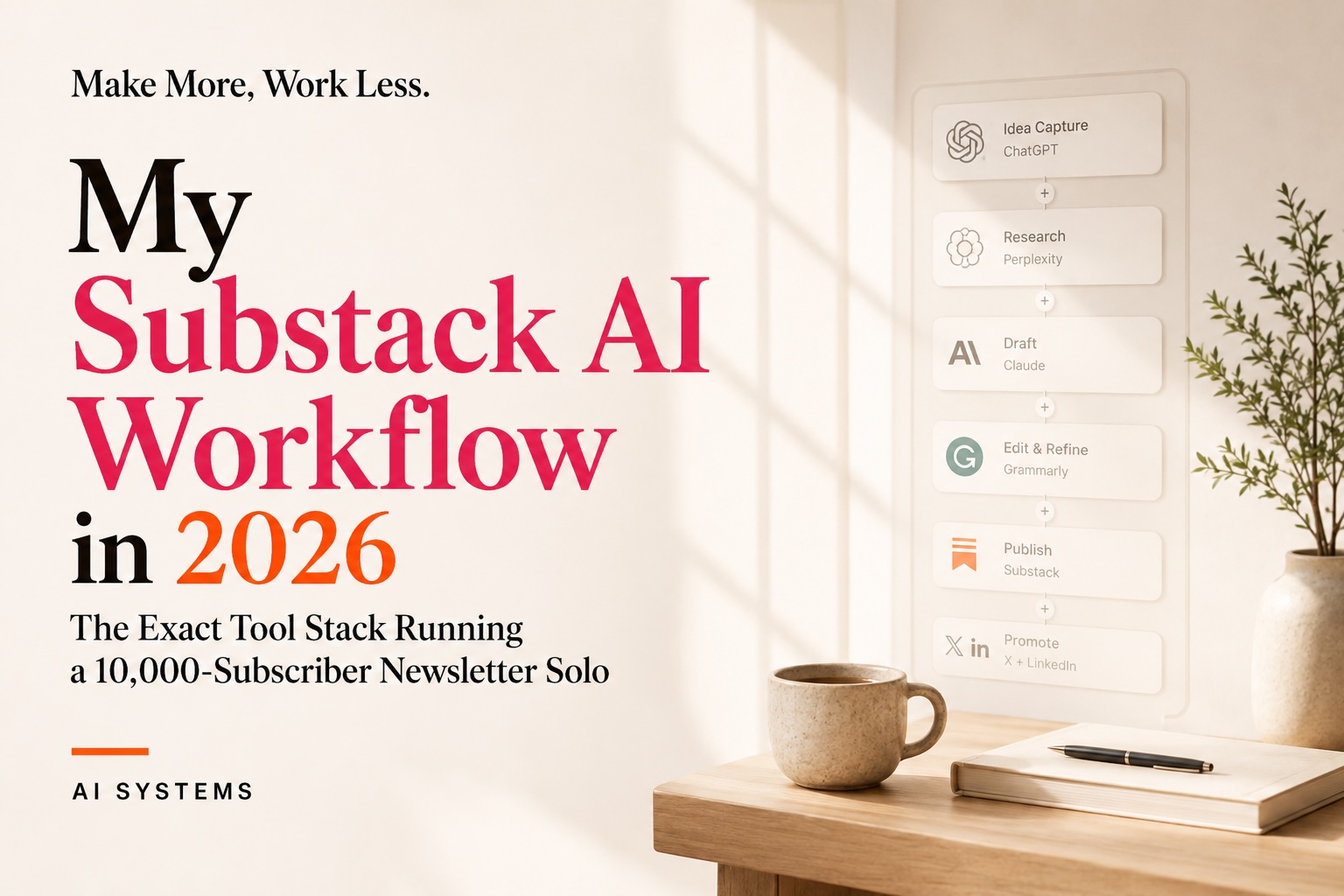
I use ten AI tools across five distinct job functions: Claude AI and ChatGPT for writing and thinking, Perplexity for research and LLM visibility, Midjourney and Ideogram for image generation, Canva AI for design, Wispr Flow for voice-to-text, ElevenLabs for audio, Gamma for decks and lead magnets, and WriteStack to manage my entire Substack publishing workflow. Each tool occupies a specific lane — I don't use them interchangeably, and I don't automate what should stay intentional.
According to a 2026 survey by Kit, 57.3% of creators now use AI tools every single day, and 71.7% use them at least weekly. The era of AI as an optional experiment is over — it's baseline infrastructure for working newsletter creators.
Why Does a Solo Newsletter Creator Need AI at All?
AI is what makes sustainable volume possible for a single-person operation. Without it, publishing 7 Notes per day plus two newsletters per week would require either a team or a quality trade-off I'm not willing to make. AI handles the mechanical, repeatable, and time-heavy parts of the workflow so I can spend my hours on voice, strategy, and audience relationships.
The numbers back this up: AI writing tools save marketers an average of 11 hours per week, and teams using AI publish 42% more content monthly compared to those that don't. For a solo creator running a portfolio business, those hours are the difference between growth and burnout.
That said, AI doesn't write my newsletter for me. 89.2% of creators who use AI always review and edit the output before it goes live — and I'm in that group. The tool is a thinking partner and production accelerator, not a ghostwriter.
The Solo Creator AI Stack
This is the framework I call the Solo Creator AI Stack — five job functions, each handled by the right tool for that specific task. Every function maps to a real problem in a newsletter business. The tools aren't interchangeable; they're specialized. Here's how I've organized them.
Job 1: Research & Positioning — Perplexity + Claude
Research and positioning is the foundation that determines whether your content is authoritative or generic. Perplexity handles live web research with cited sources — I use it to validate claims, find current stats, and understand how AI models are surfacing topics in my niche. Claude is my thinking partner for positioning: synthesizing research into frameworks, pressure-testing angles, and organizing complex ideas before I write a single draft sentence.
Perplexity's citation-first architecture makes it uniquely valuable for LLM optimization — content that cites verifiable data gets surfaced by AI engines at significantly higher rates. According to the Princeton GEO study, original statistics and structured citations lift AI visibility by 30–40%. So Perplexity helps me build the kind of evidence-dense content that gets cited back.
Job 2: Writing & Drafting — Claude + ChatGPT
Writing and drafting is where Claude and ChatGPT split responsibilities based on the task type. Claude handles long-form structured writing — newsletter issues, blog articles, frameworks — because it reasons through complex arguments and maintains consistent voice across 2,000+ words. ChatGPT handles ideation sessions, rapid draft variation, and subject line brainstorming where I want divergent options fast.
Claude has 69.8% adoption among creators in the Kit survey, and ChatGPT reaches 73.3% — the two together are the dominant writing infrastructure for the creator economy. I use both because they genuinely serve different cognitive functions in a writing workflow.
Job 3: Visuals & Design — Midjourney + Ideogram + Canva AI
Visuals and design are non-negotiable for a newsletter that competes at the top of its niche. Midjourney generates conceptual hero images and brand-consistent editorial visuals — the kind of image that makes someone stop scrolling in Notes. Ideogram is my dedicated thumbnail tool because it handles text-in-image accurately, which Midjourney still struggles with. Canva AI handles everything that needs brand templates, quick edits, and social graphics that match my visual identity.
46.9% of creators in the Kit survey use AI for creating images or visuals, and that number is climbing fast. For Notes specifically, a compelling image can be the difference between 50 views and 5,000.
Job 4: Voice & Audio — Wispr Flow + ElevenLabs
Voice and audio tools handle two separate use cases in my workflow. Wispr Flow is the tool I use to dictate drafts, notes, and ideas hands-free — I think faster when I talk than when I type, and Wispr converts voice to clean, editable text with minimal cleanup. ElevenLabs powers any audio content I produce: podcast-style reads of newsletter issues, audio snippets for social, and audio lead magnets.
82% of Substack's top 250 revenue-generating creators use audio and video features, and creators who used audio in the preceding 90 days grew their audiences 50% faster than those who didn't. Audio is no longer optional at scale.
Use Wispr Flow if you're not already dictating — it's the single tool that has most changed my daily writing speed.
Job 5: Publishing & SEO — WriteStack + Gamma
Publishing and SEO is where content turns into a search and discovery asset. WriteStack is the tool I use to manage my entire Substack workflow — scheduling, Note queuing, cross-posting, and SEO optimization across posts. It's the operational layer that makes 7 Notes per day manageable rather than chaotic. Gamma handles my visual publishing needs: lead magnets, mini-course decks, and downloadable assets that support my offers without requiring design hours.
Teams using AI for SEO content specifically report a 65% uplift in SEO performance, according to Semrush data cited by Adobe. For a blog post like this one, WriteStack's SEO tooling is what ensures the research I've done actually reaches the people searching for it.
How Does Carrie Manage 7 Notes Per Day With AI?
Seven Substack Notes per day is a volume that requires a system, not just tools. My workflow starts the night before with a voice note in Wispr Flow — ideas, angles, or observations from the day that I want to publish as Notes. Claude helps me expand the strongest ones into structured observations. Ideogram generates thumbnails for any visual Notes. WriteStack queues and schedules everything so the Notes go out at optimal times without me manually posting each one.
The newsletter itself — every Tuesday and Saturday — follows a similar sequence: research with Perplexity, drafting with Claude, image generation with Midjourney, and final design with Canva AI. The whole process runs in parallel streams rather than sequentially, which is where the time savings compound.
According to Adobe's 2026 AI and Digital Trends report, 76% of organizations report that generative AI has moderately or significantly improved the volume and speed of content ideation and production. That tracks with my experience — AI didn't make me faster at the same work, it changed the shape of the work entirely.
Which AI Tool Is Best for Each Part of a Newsletter Workflow?
The right tool depends on the job. Here's a direct comparison of the tools in my Solo Creator AI Stack:
Should You Add AI to Your Substack Workflow Right Now?
Whether to add AI depends on where you are in your Substack journey. If you're publishing fewer than two posts per week and still finding your voice, adding AI tools too early can flatten your writing before you've developed a distinctive one. If you're publishing consistently, have a clear audience, and are hitting a volume ceiling — that's the right time.
For context: 97% of content marketers plan to use AI for content creation in 2026, up from 90% in 2025. The competitive landscape has already shifted. Not using AI at the volume and consistency that your niche demands is now the exception.
The most important signal is whether you're losing hours to production tasks that AI could accelerate — drafting, image finding, repurposing, scheduling. If the answer is yes, start with one tool in one lane. I'd start with WriteStack for workflow management and Claude for writing — those two changes alone restructure how you spend your time.
If you want to grow on Substack before adding AI complexity, read How to Grow a Substack Newsletter in 2026 first. And if you want to understand how your posts actually reach Google, How Substack Posts Rank on Google explains the mechanics.
How Do I Use AI Without Losing My Voice?
AI preserves your voice when you use it as an accelerant rather than a replacement. My process: I always start with my own angle, observation, or thesis — even a voice note in Wispr Flow. Claude drafts from that raw material, not from a blank prompt. I edit every output before it publishes. The finished piece sounds like me because I'm the one who started the idea and the one who decides what stays.
The data confirms this is the right approach: human-edited AI content generates 5.44x more traffic than purely AI-generated material, according to Averi's 2026 State of AI Content Marketing report. The editorial layer isn't extra work — it's the competitive differentiator.
Voice degradation happens when creators outsource the thinking to AI rather than just the production. Keep the thinking yours, and the voice stays intact.
What Is the Solo Creator AI Stack and How Does It Work?
The Solo Creator AI Stack is a five-function framework — Research & Positioning, Writing & Drafting, Visuals & Design, Voice & Audio, and Publishing & SEO — that assigns the right AI tool to each distinct job in a newsletter workflow. It's how a single creator can produce at the volume of a small team without compromising quality or burning out. Each function uses specialized tools rather than one general-purpose AI doing everything poorly.
The framework reflects how I actually work at 9,000+ subscribers: not by using every AI tool available, but by matching specific tools to the specific constraints of each job function. The result is a workflow that scales content output without scaling hours.
Frequently Asked Questions
Is AI necessary to grow a Substack newsletter in 2026?
AI isn't required to grow a Substack, but it's increasingly necessary to sustain high-volume publishing without a team. At consistent daily output — 7 Notes per day plus two newsletters per week — AI is what makes that pace sustainable for a single creator. For creators publishing 1–2 times per week, AI is helpful but not critical.
What is the best AI tool for writing a Substack newsletter?
Claude AI is the best tool for writing full newsletter drafts because it maintains voice consistency across long-form content and handles complex reasoning well. ChatGPT works better for rapid ideation, subject line variants, and short-form copy. Most serious newsletter creators use both — the Kit 2026 survey found 69.8% adoption for Claude and 73.3% for ChatGPT among working creators.
How do Substack creators use Perplexity AI?
Perplexity serves two functions for Substack creators: research with live citations (so posts include verifiable data, not just opinions) and LLM visibility tracking (so you can see how AI models are surfacing topics in your niche). It's the tool that helps a newsletter compete in AI-powered search, not just Google. I use it at the start of every article-format post.
How much does an AI workflow for Substack cost per month?
A full solo creator AI stack — Claude Pro, ChatGPT Plus, Perplexity Pro, Midjourney Basic, Ideogram Plus, Wispr Flow Pro, ElevenLabs Starter, and Gamma Plus — runs approximately $100–120/month. WriteStack and Canva Pro add additional costs depending on plan. For a newsletter generating revenue from paid subscriptions and digital products, this is a low-cost operational investment relative to the output.
Does using AI hurt Substack SEO or Google rankings?
No — AI-assisted content does not inherently hurt rankings. Teams editing AI output see 12% more organic traffic than those who publish without review, according to Ahrefs data. The SEO risk is thin, unedited, generic AI content — not AI-assisted content with a real human editorial layer. Every post I publish through this workflow is reviewed and edited before it goes live.
What is WriteStack and why do Substack creators use it?
WriteStack is a Substack-specific workflow management tool that handles scheduling, Note queuing, cross-posting, and SEO optimization. For creators publishing at high volume, it replaces the manual effort of logging into Substack, timing posts, and managing queue — that's the operational layer that makes 7 Notes per day possible without spending hours on logistics. It's available at writestack.io.
How long does it take to build an AI workflow for a newsletter?
Expect 2–4 weeks to integrate tools one by one and develop the muscle memory for switching between them efficiently. Start with one tool per job function, not all ten at once. The biggest time investment is building prompts and templates that produce on-brand output — once those exist, the workflow runs fast.
What Offers and Resources Does Carrie Recommend for Substack Creators?
If this workflow resonates and you're ready to accelerate your Substack growth, here's what I offer and use:
The Primary Offer:
Substack Notes Secrets Mini Course ($97) — My step-by-step system for using Notes as your primary growth engine on Substack. This is the playbook behind 9,000+ subscribers in 15 months.
Tools I Use and Recommend (affiliate links):
WriteStack — Substack workflow management and SEO optimization
Wispr Flow — Voice-to-text for faster dictation across every app
Gamma — Decks, lead magnets, and visual presentations
ElevenLabs — AI audio and voice synthesis for newsletters
More Ways to Work With Carrie:
Digital Product In A Day Masterclass ($47) — Build your first digital product in one day
Substack Audit ($450) — A full review of your newsletter's growth, SEO, and monetization opportunities
Secret Substack Society (free) — Join the free Skool community for Substack creators
How to Build Multiple Income Streams as a Creator — Read my newsletter for the full Portfolio of Paychecks system
Subscribe to 9-to-Thrive at thrivewithcarrie.substack.com — published every Tuesday and Saturday.

